Backlog Prioritizer
Prioritize your gaming backlog in 60 seconds
Stop staring at hundreds of unplayed games. Pit two backlog titles against each other and let your gut instinct reveal what you actually want to play tonight.
Beat choice paralysis
Elo algorithm
Scanning a 200-game library drains your energy before you even launch a game. Binary 1v1 choices cut through backlog fatigue immediately.
Make your pick
Which game do you like more?
Your pick stays on this device. Sign in only when you want to save it.
Early public data
Based on picks from 4 players
The ranking will become more representative as more people compare games they know.
Add 10 picksZero-Friction Decisions
Asking 'Would I rather play A or B right now?' is effortless compared to sorting a spreadsheet.
Automatic Steam Import
Pull your public Steam library in seconds and filter or compare your games right away.
Clear Play-Next Queue
After 10 quick picks, your top priority game rises to #1 so you can stop browsing and start playing.
How to prioritize your backlog
Load your candidates
Import your Steam games or pick the 5–15 backlog titles you are torn between.
Follow your gut in 1v1s
Tap the game that excites you more right now in each head-to-head matchup.
Launch your #1 pick
Your prioritized queue settles in under a minute—play the winner tonight.
Most prioritized games in player rankings
View full public ranking →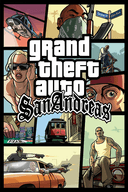

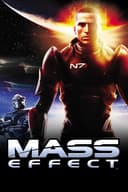




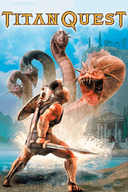


Build your personal top list
Find your real favorite games in 60 seconds
Skip 1–10 review scores. Pick between two games at a time and let the Elo algorithm build a shareable personal ranking or tier list.
FAQ
Frequently Asked Questions About Backlog Prioritization
How pairwise comparison helps you beat gaming backlog paralysis.
Why do I get stuck staring at my game library without playing anything?
Psychologists call it choice overload: when faced with dozens of good options simultaneously, your brain defaults to inaction. Narrowing every decision to just two games eliminates that overload.
Do I need to rank all 300 games in my Steam backlog at once?
No. The fastest way to beat backlog paralysis is to select 8 to 15 games you're considering right now and run 10 quick matchups.
Can I use this for PlayStation, Switch, or Game Pass backlogs?
Yes. Use Quick Start or manual search to add games from any console or subscription service.
Ready to stop scrolling and start playing?
Find your next game in 10 quick choices.